Make a Lock Screen wallpaper from a photo of your loved one.
Real photos, every step, nothing skipped. Each walkthrough starts with an ordinary snapshot and ends on an iPhone Lock Screen with a name on it, made in WallyPaper in about a minute.
Walkthroughs
-
 Kids
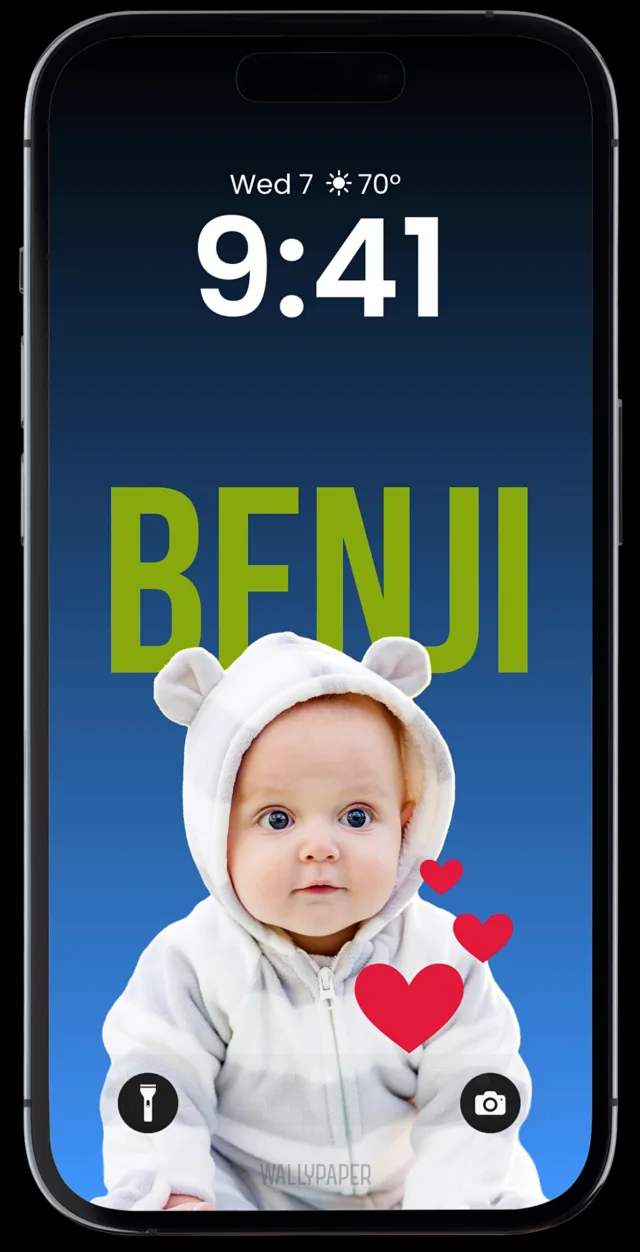
KidsTurn a baby photo into a Lock Screen wallpaper
Baby Benji, from a picnic blanket to the Lock Screen with his name above him.
-
 Names
NamesPut a name behind someone on your Lock Screen
Addy, from a busy café to the Lock Screen with her name in big letters behind her.
-
 Pets
PetsTurn a dog photo into a Lock Screen wallpaper
Charlie, from the couch to the Lock Screen with the name in big green letters behind those ears.
-
 Sports
Make a football wallpaper with your player's name
Jalen, number 2, from the field to the Lock Screen, with the background slid to the right purple.
More walkthroughs are coming: cats, baseball, and the whole crew on one wallpaper.
Photo. Style. Name. Set.
Whatever you start with, the walkthroughs all follow the app's four steps.
1. Photo
Choose a photo, take a new one, or share one to WallyPaper from the Photos app. WallyPaper finds your loved one, lifts them off the background on your iPhone and frames their face in view.
2. Style
Tap a template, pick a trading card or a holiday theme, or build your own look from solid backdrops, gradients and mesh gradients.
3. Name
Add a name or nickname. Six styles, four effects, any size, any position, even behind your subject.
4. Set
Save to Photos, then choose Share › Use as Wallpaper. WallyPaper walks you through it, and iOS adds the depth effect when it fits.
Make yours with WallyPaper.
Your people. Your pets. Your wallpaper. Free on the App Store for iPhone.